The Sell section is where you manage your customers, create sales orders, send invoices, and set up your product catalog. Whether you sell to businesses, retail customers, or both, this is where the money-making side of Peasy lives.
How Selling Works in Peasy
- Add your customers — Who you sell to (including channels like farmers markets or storefronts)
- Set up your catalog — The products you offer, with prices
- Create sales orders — What a customer is buying
- Fulfill orders — Record shipments as goods leave your warehouse; this is what deducts inventory
- Send invoices — Bill the customer. Each invoice snapshots its own Ship To and Bill To addresses at creation, so later edits to the customer record don't change invoices you've already sent — see Managing Invoices for how address corrections work.
- Get paid — Accept payments through Peasy (optional)
You can use as much or as little of this flow as you need. Some businesses just track customers and orders; others use the full invoicing and payment flow.
Customers and Channels
Peasy supports both traditional customers (businesses or individuals you sell to) and channels (sales outlets like farmers markets, retail storefronts, or POS systems). You can also organize multi-location customers using parent customers and sub-customers — helpful when selling to chains or businesses with multiple locations. See Managing Customers for details on setting these up.
Inventory and Sales
When you create a sales order, the items on that order become pending against your inventory. This means Peasy knows that inventory is committed even though it hasn't left the shelf yet. The stock isn't actually deducted until you fulfill the order by recording a shipment — see Fulfilling and Shipping Orders. See Understanding Availability for how available and pending quantities work together.
Your Items to sell page shows an Inventory column so you can see current inventory for each product. If you also set Restock Points on your items, the Low and Order badges on Buy > Items to buy and To-Dos will tell you when inventory is getting low — so you can reorder or produce more before you run out.
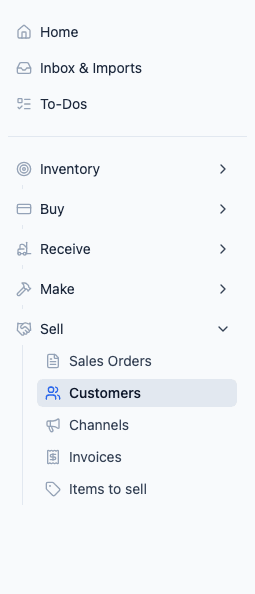
What's in the Sell Section
- Customers — Your customer list with contact details, order history, and custom pricing
- Channels — Sales channels for distributing your products
- Sales Orders — Customer orders you've created
- Invoices — Customer invoices and their payment status
- Items to sell — Your product catalog with prices and visibility settings
Related
- Managing Customers — Add and organize customers
- Creating Sales Orders — Build orders and invoices
- Fulfilling and Shipping Orders — Record shipments and deduct stock
- Managing Your Catalog — Set up your product offerings
- Understanding Availability — How sales orders affect available inventory
- Restock Points — Get notified when inventory is running low