How to Set Reorder Points for a New Food Product With No Sales History
How to set a reorder point for a new food product with no sales history: estimate demand from orders you can see, use your real lead time, size the buffer, and adjust.

Article written by
Peasy

You can set a reorder point with no sales history. What you need is an estimate of how much of each ingredient you'll use during your real lead time, plus a buffer sized by how bad running out would be.
The weekly number comes from orders you can already see, like open purchase orders, store commitments, a comparable product, and your last few weeks of web sales. Big one-off orders stay out, and you buy those on their own.
This usually comes up in the first few months after launch. We'll go through the formula, how to forecast demand for a new product, a worked example, packaging, order size, and when to change the number.
We make Peasy, free inventory ops for small CPG brands. At the end we'll walk through how restock points work in it.


What a reorder point is
A reorder point is the stock level that tells you to buy. When what you have on hand, plus anything already on order, drops below it, you place the order.
It has two parts:
Demand during lead time: how much you'll use between deciding to buy and the delivery landing on your shelf.
Safety stock: a cushion for the weeks that run hotter than you planned, or the delivery that shows up late.
Written out:
Reorder point = (weekly use × lead time in weeks) + safety stock
Why the textbook version stalls
The textbook version sizes safety stock from months of steady sales. You have six weeks, one of them a launch spike, so skip the statistics. A rough estimate like "about 50 bags a week" beats an empty field.
What sets a reorder point
Demand only sets the starting point. Four other things decide where the reorder point should sit:
Real lead time, not the quoted one.
How bad a stockout is. Running out of your best seller costs more than running out of a slow flavor.
Cash. Every pound above the reorder point is money sitting on a shelf.
Shelf life. A buffer that goes off before you use it is waste.
How to forecast demand for a new product
With no history, your forecast is a judgment call, and that's normal. Forecasting textbooks say judgment is the only option for many new products. So write it down, and you can check it later.
That judgment comes from four inputs, roughly in order of how far to trust them:
Confirmed orders. Purchase orders and open wholesale orders are your most solid numbers. Keep a big opening order or a promo out of the weekly average, or it inflates every number after it.
Retailer commitments. Multiply stores by a conservative guess at units per store per week, the velocity number buyers watch. Ask your buyer or broker what similar items sell, then start below that.
A comparable product. If you or a brand you know launched something similar, borrow its first few months. A new flavor in an existing line is the easiest case: use the line's slowest flavor as the floor.
A 4-week run rate. For steady channels like your web store, take the last 4 weeks, minus any one-off spike. Shopify's Inventory sold daily by product report gives average daily sales per variant. Checked October 2026.
Add the steady channels into one weekly number. Keep the lumpy events, the opening orders and promos, on a separate dated list.
Write both down. In 4 weeks you'll compare them with what happened, and that comparison is the start of your history.
How to set a reorder point with no sales history
Start with the ingredients and packaging that would stop a production run. Your finished product follows your production schedule, and those inputs are what feed it.
Here's the method on one ingredient. You make granola in cases of 12 pouches. Each case uses 5 lb of oats, and you buy oats in 20 lb bags.
The same recipe numbers drive your cost per unit.
1. Estimate weekly use
Your web store moves about 1 case a week. A local grocery chain took 8 stores, at about 2 units per store per week, which is 1.5 cases between them. A cafe takes half a case.
That's 3 cases a week, or 15 lb of oats.
2. Use your effective lead time
The supplier quotes 14 days. But your effective lead time runs from when stock crosses the line to when the bags are on your shelf.
You only place orders once a week, so add that week. Your lead time is 3 weeks.
Quoted lead times are a best case. So if the supplier has already been late once, use the late number.
3. Work out lead-time demand
15 lb a week × 3 weeks = 45 lb.
You'll use that much while you wait for the order. With no buffer, you'd hit zero the day it arrives, if it arrives on time.
4. Pick a buffer
Without history, you can't size the buffer statistically. So pick it by what a stockout would cost you.
If running out means | Buffer | Oats example |
|---|---|---|
A short delay on web orders | 1 extra week of use | 15 lb |
Missing a retailer delivery | Half the lead-time demand | 22.5 lb |
A best seller out, or a supplier who runs late | A full lead time of demand | 45 lb |
The grocery chain makes a stockout expensive, so take the middle row, 22.5 lb.
5. Set and stress-test the point
45 + 22.5 = 67.5 lb. Round to 70 lb, or 3.5 bags. When oats on hand plus anything on order drop below 70 lb, you buy.
Now stress-test it. If a new account doubles demand to 6 cases a week, lead-time demand jumps to 90 lb. A 70 lb point runs you dry before the bags show up.
A week that doubles means you redo steps 1 to 5 that day, not at the next review.
Keep the opening order separate
The chain's opening order of 10 cases sits outside all of this. Buy its 50 lb of oats as its own purchase, timed to the delivery date.
If you fold it into the weekly average instead, your reorder point stays inflated for months after the order ships.
Let shelf life cap the buffer
Your reorder point plus the order you place should never add up to more than you'll use before the ingredient goes off.
Oats can take a deep buffer. Fresh garlic can't. Short-life ingredients get a thinner buffer and more frequent orders, even when the math asks for more.
How much to order when you hit it
The reorder point says when. For how much, the textbook answer is economic order quantity, but it assumes steady demand you don't have yet.
A good default is a month of use, unless the ingredient is perishable. Four weeks of oats is 60 lb, or 3 bags.
Then check three limits, in this order:
Pack size: round up to the supplier's bag or case.
Minimum order: raise it to their minimum if you're under.
Shelf life: cut it back if you couldn't use it all in time.
If the minimum and the shelf life clash, look for a supplier with a smaller minimum before you buy stock you'll throw out.
Packaging and co-packer inputs work differently
Printed packaging
Printed packaging runs on minimums and print lead time more than on weekly use. Custom pouch minimums in the thousands are normal, and 8 to 10 weeks from proof approval is a common quote.
At 3 cases a week you use 36 pouches a week. A 5,000-pouch minimum is more than two and a half years of supply.
Work it out in three passes:
Real lead time. Count proofs and artwork changes on top of printing. 10 weeks of print plus 2 weeks of proofs is 12 weeks.
Reorder point. 12 weeks × 36 pouches is 432, plus 4 weeks of buffer. Reorder at about 600 pouches left.
Design risk. A new claim or a retailer's label change can strand a pallet of film. Before you buy years of pouches, decide whether you could afford to bin them.
Get the lead time and minimum for every packaging item in writing before you set a number.
Co-packer runs
If a co-packer holds your packaging, those numbers belong in your agreement, along with the rest of what to agree on before your first co-packer run.
Some co-packers ask for overage on top of a run, extra cans or film to cover line loss. Set the reorder point on that item to the overage, so you always hold it above what the planned runs will use.
Ingredients you buy to order
Some inputs you never hold, like fresh produce bought for one run or a juice you press the day before. A reorder point can't work for an item you deliberately keep at zero.
So let the scheduled run drive the buy instead. Order those on the same day you schedule the run.
When to adjust a reorder point
Your first reorder point is a starting guess, so plan to change it within a month.
Every 4 weeks: compare what you used with what you estimated, and watch which way you miss. Always high ties up cash. Always low runs you out.
After any stockout: treat it as the moment to ask whether the point was right. If an unusually large order caused it, leave the point alone. If not, raise it or check more often.
After a week that doubled: redo Step 1. A new account or a promo changes the base.
When you get too many flags: lower the point. A trigger that fires all the time gets ignored, and then it misses the one that mattered.
Think in weeks of cover
A fixed number goes stale because, as sales grow, the same pounds cover fewer days. So think in weeks of cover, then convert to pounds or bags.
If you want 3 weeks of cover and velocity doubles, the reorder point doubles with it.
After three or four months
Once you have a few months of real orders, sort your items by how steady they are. Steady items can run lean.
Erratic ones need a bigger buffer, or a decision to make them only to order. Plan in monthly totals rather than weekly ones. Monthly numbers are steadier because they absorb shifts in when buyers order.
Common reorder point mistakes
Treating the supplier's minimum as your reorder point. One is when to buy, the other is the least you can buy. Set them separately.
Folding the opening order into the average. A 10-case launch order inflates every weekly number after it. Plan it as its own purchase.
Using the quoted lead time. Add your ordering cycle, and use the late number if the supplier has been late.
Ignoring planned production. On hand can look fine while a scheduled run is about to eat half of it. Count committed runs against the point.
Setting a point on everything. Start with the items that would stop a run. Points on things that never run low just add noise.
Setting it once. A reorder point built on six weeks of data is wrong by week ten. Put the 4-week check on the calendar.
How Peasy handles reorder points
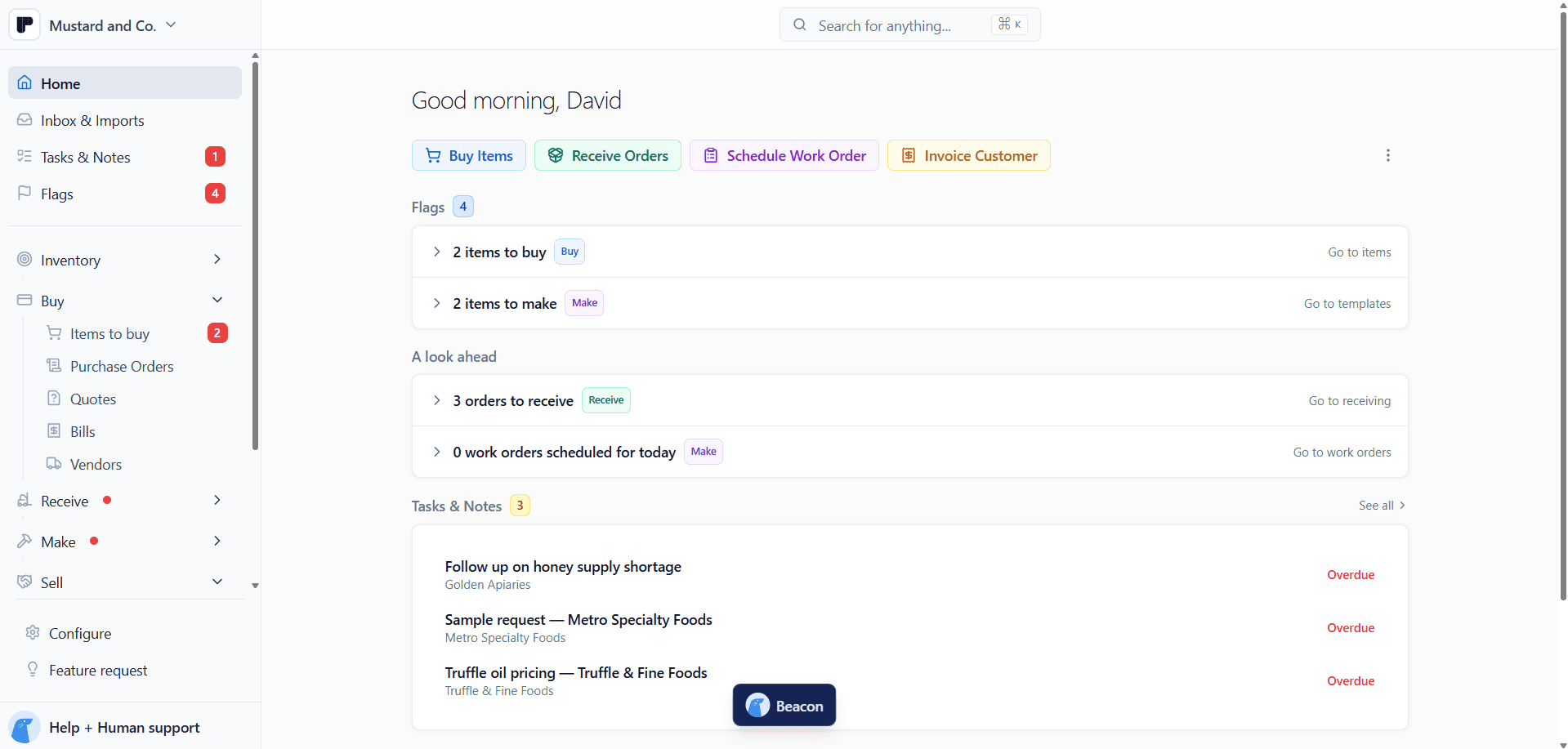
A Restock Point on each item. It's the minimum you want on hand, in the unit you think in. Enter 70 lbs or 3.5 bags and Peasy converts. No Restock Point means no flag.
Low and Order tabs. On Buy > Items to buy, Low lists items within 20% of their point. Order lists items below it, and the + in the Gap column adds the shortfall to the cart.
One PO per vendor. Review & Submit turns the cart into one purchase order per vendor, so oats, jars, and labels from three suppliers go out in one pass.
Planned runs count. To-Dos compares current inventory plus net pending against the Restock Point. The ingredients a scheduled Work Order needs get flagged before the run, not on production day.
Long-lead items on demand. Bookmark to restock puts an item like printed pouches in To-Dos right away, whether or not it has crossed its point.
A second opinion. You can ask Beacon, Peasy's AI assistant, what a restock point should be. It doesn't change anything until you click Apply changes.
Peasy doesn't forecast demand. The number comes from you, and Peasy does the watching.
Peasy is free, with no cap on items, users, or orders. The Restock Points guide has the steps.
Article written by
Peasy